Answers Now: pick CSV to one slotting answer in 10 minutes
Drop a CSV, pick one of four questions, get a plain-English answer. No account, no layout, no card. What each question does and how to read the result.
Every operator we talk to has the same shaped problem. There is a pick export sitting in a folder. There is a hunch about which SKUs are slowing the floor down. And there is a 90-minute spreadsheet exercise standing between the two that almost never happens, because the day always asks for something more urgent.
That gap is what Answers Now is built for. You go to slotwise.co/answers, drop the CSV you already have, pick one of four questions, and read a plain-English answer in about ten minutes. No account. No layout drawn. No call booked.
This post walks through what is actually available, what each question tells you, and exactly what to do once you have the answer.
What is on the page
Answers Now lives at /answers. The landing page is four question cards. Each card maps to one analysis built specifically for warehouse slotting work. They are intentionally narrow. You are not getting a general-purpose data tool. You are getting one decision per question.
The four questions:
- What are my A/B/C movers?
- Which A-movers are out of position?
- What SKUs get picked together?
- What is heating up?
Pick the one that matches the decision you are about to make. If you are not sure, start with question one. The rest get more interesting once you know your A list.
Question 1: What are my A/B/C movers?
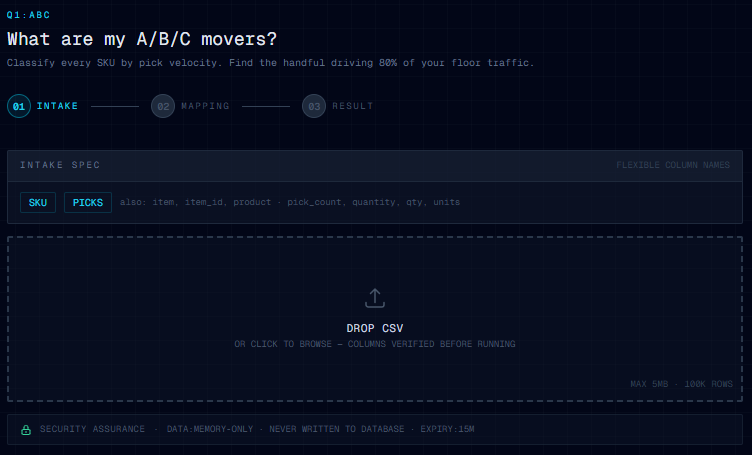
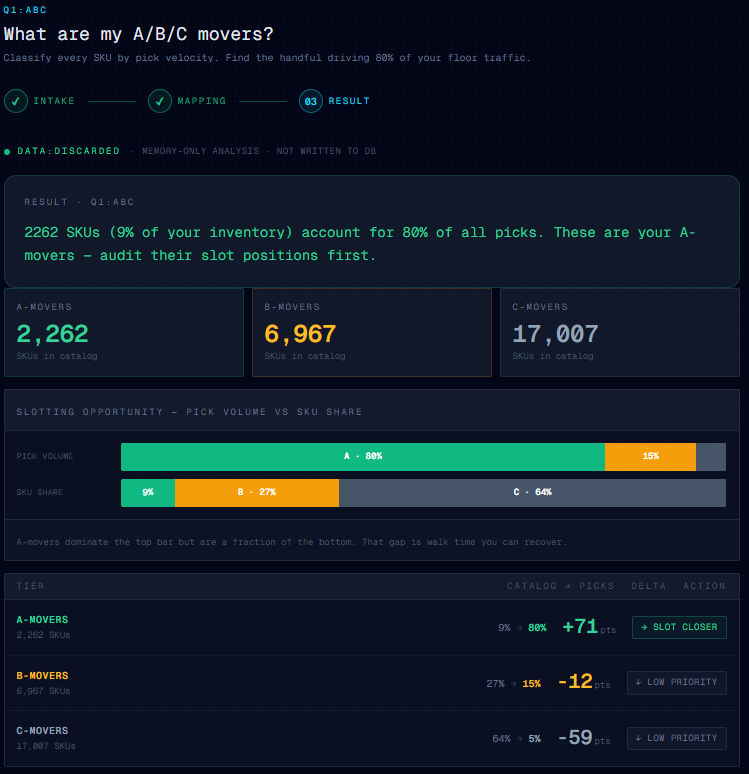
Classic ABC, run cleanly. Upload a file with sku and picks columns and you get back the small group of SKUs that account for roughly 80 percent of your pick volume, plus the long tail.
This is the question that anchors every other slotting decision. You cannot decide which items deserve prime real estate until you know which items earn it. Most operators have a guess. Answers Now turns the guess into a list, with counts, in roughly two minutes.
When to run this: before any slot review, after any major SKU rationalization, or any time the floor "feels" different and you want to know why.
Question 2: Which A-movers are out of position?
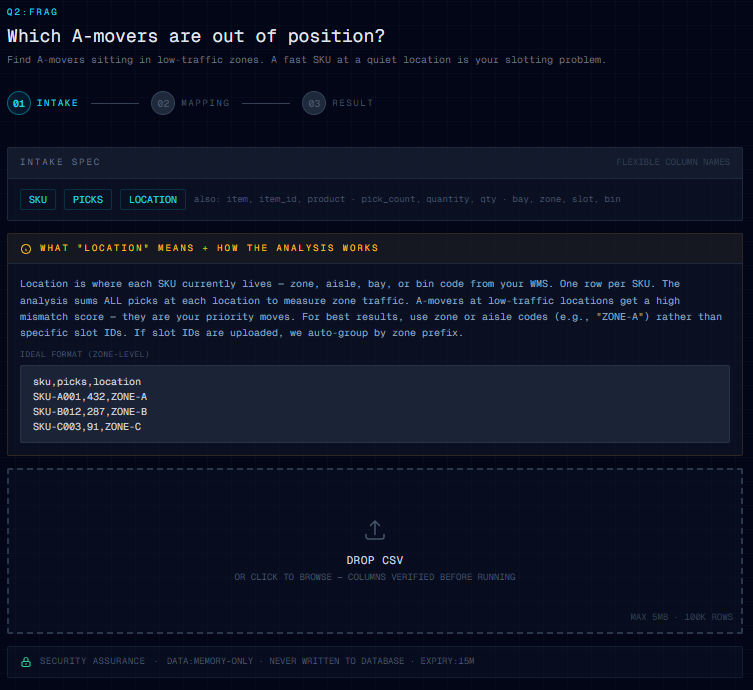
This is the question that turns ABC into action. Upload a file with sku, picks, and location and the analyzer ranks your zones by traffic, then flags every A-mover that is currently sitting in the bottom third of the rank.
The headline you get back names the worst offender. Something like, "SKU-1042 is at location D-12, traffic rank 28 of 31 zones." That is the SKU you move first. The full list shows you the next ten.
When to run this: right after Question 1, or any time a new product line gets dropped into "wherever there was open space" during a busy week.
Question 3: What SKUs get picked together?
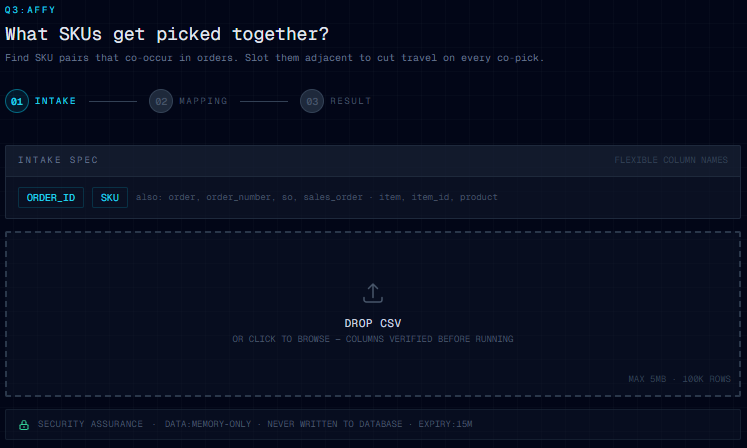
Co-pick affinity, computed from order-level data. Upload a file with order_id and sku and the analyzer finds the SKU pairs that co-occur in the highest share of orders.
Co-picks are travel multipliers. If two SKUs ship together in 14 percent of orders and they are 80 feet apart on the floor, every one of those orders pays the 80 feet. Slot them adjacent and the cost disappears for that entire slice of demand.
When to run this: before a slot reshuffle, after a kitting or bundle change, or any time order composition shifts (peak season, new SKU launch, a big channel coming online).
Question 4: What is heating up?
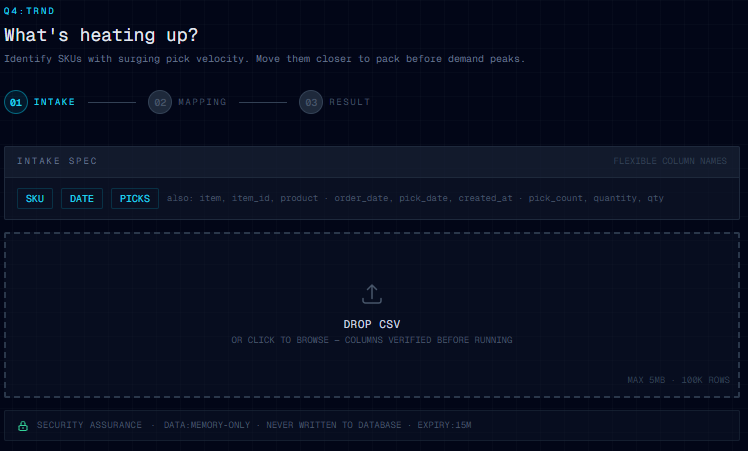
Trend detection. Upload a file with sku, date, and picks and the analyzer compares the first half of your date range against the second half to surface SKUs with surging velocity.
The output names a single SKU as the leader (something like, "SKU-7781 surged by 412 picks, plus 184 percent in the second half of your date range"), classifies others as CRITICAL or WATCH, and gives you a list to review.
When to run this: monthly, or before peak. A SKU that was a C-mover last quarter and is climbing fast is the one you want to move before demand peaks, not after.
How it works under the hood
Three things matter for trust, and they are the same three things across all four questions.
Column auto-mapping. Your CSV does not need specific column headers. The analyzer looks for the data, not the label. sku matches item, item_id, product, product_id, part_number, upc, barcode, and material. picks matches pick_count, qty, quantity, and units. location matches bay, slot, zone, and bin. If your file came out of a WMS, an ERP export, or a hand-rolled Excel report, it almost certainly works without renaming anything.
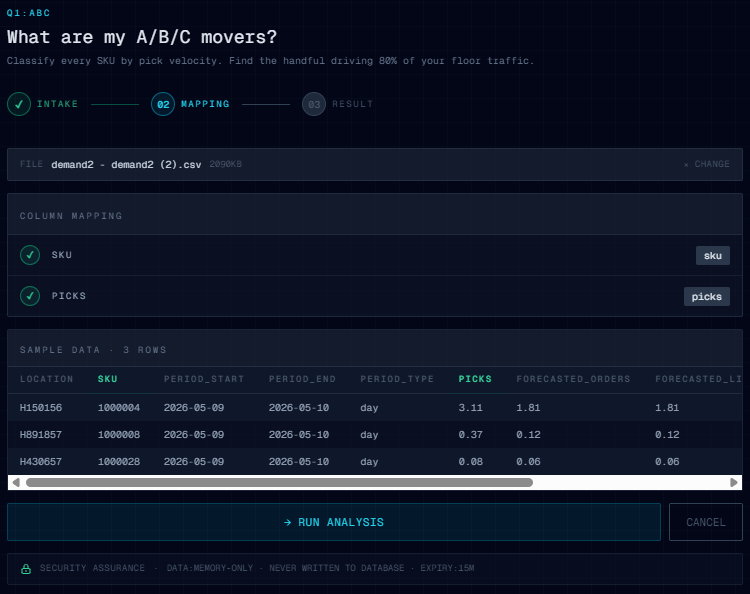
After you drop a file, the column-mapping step shows you exactly what was detected before the analysis runs. Green checks mean the column is matched. A red badge means the required column could not be found and you need to rename it or pick a different file.
Memory only, never written. Your CSV is parsed in memory, the analysis runs, the result is held in a session token for fifteen minutes, then everything is discarded. The file is never written to disk. The rows are never written to a database. The only thing that persists is the email you optionally provide to unlock the full download, which goes onto the early-access waitlist.
One answer per question. Each analysis returns one headline, a few KPI tiles, and a ranked list. Not a dashboard. Not 14 charts. The product point of view is that operators do not need more data. They need the next move. So the output is shaped like the next move.
How to actually use it
- Go to slotwise.co/answers.
- Pick the question that matches the decision you are about to make. Start with Question 1 if you are unsure.
- Drag your CSV into the upload area, or click to browse. Column mapping happens automatically and shows you green checks for matched columns.
- Click RUN ANALYSIS. Result appears in seconds.
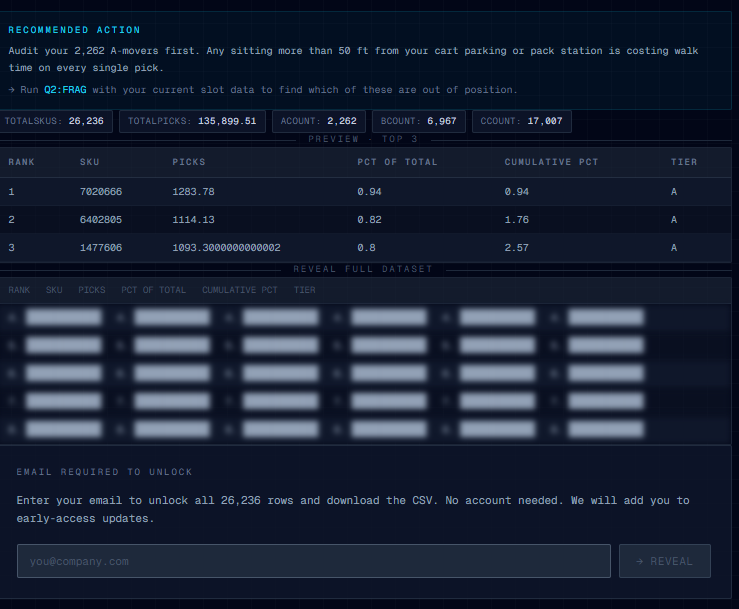
- Read the headline. Look at the KPI tiles. Scan the top three rows of the result table.
- If you want the full list as a downloadable CSV, drop your email into the reveal box. The full table unblurs and the CSV downloads. Your email goes onto the early-access waitlist, nothing else.
That is the whole flow. The first time through takes about ten minutes, mostly spent finding the right CSV. Every run after that is closer to two.
What you do with the answer
Each question has a default next move. The point of doing the analysis is to take that move this week, not next quarter.
- ABC result: Pull the top 20 A-movers. Walk the floor and audit where each one is currently slotted. Anything sitting in a back aisle goes on the move list.
- Out-of-position result: The worst offender is the move. Schedule it for the next slot maintenance window. The next nine on the list are the rest of your sprint.
- Affinity result: Take the top three co-pick pairs. If any pair is more than 30 feet apart on the floor, that is your highest-ROI slot change. Move one half of the pair adjacent to the other.
- Trend result: The top surging SKU gets its slot upgraded before demand peaks, not after. The CRITICAL list goes on the watchlist for next month's review.
None of these moves require new software, a new WMS, or a consultant. They require the small list. Answers Now gives you the list.
Try it now
The product is live at slotwise.co/answers. It is free, public, and built specifically so you can use it before deciding whether SlotWise is the right tool for the rest of the job. If a ten-minute answer is enough to win back an aisle this week, take the ten minutes.
The full SlotWise product (warehouse layout designer, full heatmap with walk-distance analysis, optimization queue, velocity tracking over time) is in early access. The waitlist is at slotwise.co. Drop your email there, or pull the trigger by running an analysis first and joining from the reveal step.